
SharePoint DMS
Microsoft SharePoint Document Management System
Achieve a paperless office with our SharePoint document management system, digitising documents to improve efficiency, streamline workflows, and ensure secure access.
We help businesses become compliant, organised, and secure, and automate document management with the SharePoint Document Management System. Our solutions streamline workflows, enhance collaboration, and ensure compliance, allowing you to work smarter, not harder.

Get in touch

ISO 27001 & 9001 Certified
With our SharePoint Document Management System Leverage SharePoint for Compliance.
Good News, SharePoint is already included in Your Microsoft 365 Subscription.
Automate compliance processes reduce risks and ensure regulatory adherence with our SharePoint solution at no extra licensing cost
About SharePoint Document Management System
Our SharePoint DMS solution provides a powerful, centralised platform for managing, storing, and organising your company’s documents effectively.
You can streamline document workflows, enhance collaboration, and ensure secure, compliant storage using SharePoint as a document management system.
Our SharePoint DMS solution is customisable, scalable, and integrates seamlessly with your existing Microsoft 365 ecosystem, making it the perfect choice for businesses looking to improve document control and accessibility.
With SharePoint document management software, managing large volumes of documents becomes simpler, thanks to its version control, metadata tagging, and advanced search features.
As a DMS Microsoft platform, SharePoint ensures that your teams can collaborate effortlessly while maintaining the security and integrity of all documents.
Whether you’re looking to transition from traditional document storage or enhance existing processes, DMS SharePoint offers the flexibility and capabilities to meet your organisation’s unique needs.
Why use SharePoint as a Document Management System
Benefits of SharePoint Compliance Management System
Key Modules
Integration Capabilities of SharePoint Document Management System
SharePoint document management software seamlessly integrates with Microsoft 365 applications like Teams, Outlook, Power Automate, and Power BI. This integration enhances communication, automates document workflows, and provides detailed analytics—all within a single ecosystem.
Integrate SharePoint DMS with ERP and CRM systems like Microsoft Dynamics to ensure streamlined document handling across different business functions, such as finance, sales, and customer relationship management.
DMS SharePoint allows integration with popular third-party business applications through APIs, enabling seamless document management across various platforms, such as HR and procurement systems.
Customise the integration of SharePoint DMS with your existing business systems, ensuring that document workflows are well-aligned with your organisation's unique processes and requirements.
Leverage Power Automate to automate document-related workflows, Power BI to create visual dashboards for document analytics, and Power Apps to create custom interfaces that enhance the usability of your SharePoint document management system.
Integrate the SharePoint DMS solution with Microsoft Teams for enhanced collaboration. This will allow users to access, share, and work on documents directly from their Teams environment, streamlining communication and document management.
Whether your business relies on cloud or on-premise infrastructure, SharePoint as a document management system supports flexible integration to ensure seamless document workflows and accessibility.
Connect DMS Microsoft with IoT devices and automation tools to collect data from physical assets, enabling real-time document updates for inspection reports, equipment maintenance logs, and more.
Our solution supports data migration from legacy document management systems, ensuring a smooth transition to SharePoint DMS while maintaining historical data and minimising disruptions.
Utilise advanced APIs to enable SharePoint document management to interact with various third-party applications, ensuring seamless integration and real-time data exchange.
Our Implementation Process for SharePoint Compliance Management System
We recognise that every organisation’s document management requirements are unique. Different companies face diverse challenges, from document version control to secure collaboration. Customisation is essential to address these needs effectively.
Our proven implementation process enables us to thoroughly understand your document management challenges and develop a tailored SharePoint document management system that integrates seamlessly with your workflows and business processes.
Committed to excellence through our expertiese in
- AI and Machine Learning
- Robotic Process Automation (RPA)
- Sustainable Software Development
- Continuous Learning
- Design Thinking and UX/UI
- Global Delivery Model
- Customer-Centric Approach
- IoT and Edge Computing
- Collaborative Innovation
-
Voice and Natural Language
Processing (NLP) -
Augmented Reality (AR) and Virtual
Reality (VR) - Data Ethics and Privacy
At Neologix, we believe in utilising technology as a catalyst for positive change and innovation, and we are dedicated to ensuring that your organisation achieves its goals and overcomes its challenges.
Ready to Solve Your Business Challenges with Tailored IT Solutions?
Discover the Power of Customised Technology Solutions Designed for Your Success
What Sets Us Apart

Customisation
We don't believe in one-size-fits-all. Our solutions are tailor-made for your business, helping you achieve your unique goals.

Transparency
We have built our development process on open communication and collaboration. You're involved every step of the way.

Proven Results
See our client testimonials and case studies to discover how we've transformed businesses like yours.
Why choose Neologix as your trusted Software Development Company.





Industries We Serve
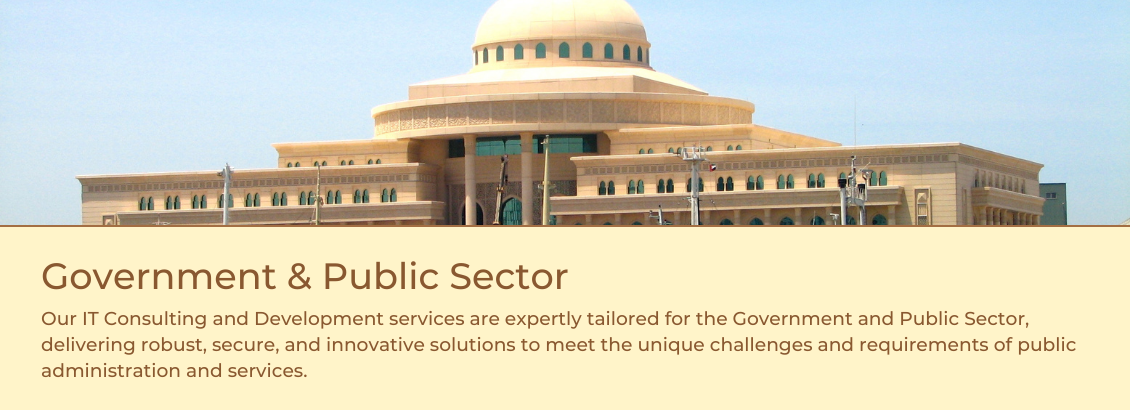
We take pride in our extensive experience and expertise in implementing IT solutions across various industries and sectors.
Our journey in Software Development has led us to partner with organisations in diverse fields, each with its unique challenges and requirements.









Client Testimonials

Joren De Wachter
CEO, DSAdmin
Industry: Business services

Kabah Adnan
They were patient and cooperative, and they quickly responded to changes. Will work with them again!
Sr. Officer Application Developer, Al Ain Farms
Industry: Agriculture

Jon-jon Dela Cruz
IT Supervisor, WEKAYA
Industry: Environmental Services
Our Engagement Models
Staff Augmentation
Looking for a swift response to your critical project? Our team of experts is ready to provide the right
manpower that delivers outstanding results while maintaining the highest
quality standards
Fixed Price Model
Looking to collaborate with a top-notch team of experts solely focused on creating a custom product or solution? Let’s join forces and bring to life something exceptional without
exceeding your budget.
Time and Material
Seeking a skilled team of experts for a short-term, one-off project? Look no further. We can assemble the ideal team for your needs and provide flexible hourly rates, ensuring optimal results and cost savings.
Ready to Solve Your Business Challenges with Tailored IT Solutions?
Discover the Power of Customised Technology Solutions Designed for Your Success
Frequently Asked Questions (FAQs)
The SharePoint Document Management System is a solution that allows organisations to manage, store, track, and share documents efficiently in a centralised platform. It provides features like version control, advanced search, and secure collaboration to improve productivity.
Yes, SharePoint is a document management system included in most Microsoft 365 business subscriptions. However, the SharePoint DMS must be configured to align with your organisation’s specific document workflows and processes, which we customise based on your needs.
SharePoint document management software is highly secure. It offers role-based access controls, data encryption, and version tracking to ensure your documents are safe and only accessible to authorised personnel.
Yes, SharePoint DMS is highly customisable to fit your organisation’s needs. We can tailor document workflows, access controls, and compliance features to align with your business processes.
Yes, the SharePoint document management system can be accessed from any device. This allows your team to manage, edit, and share documents on the go, providing flexibility and convenience.
No, our solution is built on your existing Microsoft 365 subscription, which includes SharePoint document management. This means there is no need for additional licensing fees.
Yes, we provide document migration services to help you move your existing files to DMS SharePoint, ensuring data consistency and minimal disruption during the migration process.
SharePoint document management includes version control capabilities, allowing you to track all changes, view the history, and restore previous versions when needed. This prevents conflicts and improves document integrity.
Absolutely. SharePoint DMS solution is scalable and can grow with your business, whether you need to manage more documents, add new users, or expand your workflows.
As a document management system, SharePoint includes compliance features such as audit trails, retention policies, and access controls, helping organisations meet regulatory requirements and maintain document security.
Yes, DMS SharePoint integrates seamlessly with other Microsoft 365 tools like Teams, Power Automate, and Power BI, as well as ERP and CRM systems, enabling a unified document management experience across your business.
We offer comprehensive post-implementation support for SharePoint document management software, including troubleshooting, updates, and maintenance to ensure optimal system performance.
SharePoint DMS has advanced search capabilities, including metadata tagging and filters, which make it easy to locate documents quickly, save time, and boost productivity.
Yes, with SharePoint document management, multiple users can collaborate on documents in real time, enhancing teamwork and ensuring everyone can access the latest information.
No, Microsoft has made significant investments in the development of SharePoint, a core component of the Microsoft 365 ecosystem. SharePoint document management software continues to receive regular updates and enhancements, ensuring it remains a reliable and future-proof solution for document management.
Microsoft follows a product lifecycle policy, including SharePoint 2016 and SharePoint 2019. While support for older versions will eventually end, Microsoft continues to offer extended support and encourages customers to migrate to newer versions or SharePoint Online as part of Microsoft 365. We can help your organisation with the migration process to ensure continued support and access to the latest features.